Places basics
Map and table views, place types, and why places matter for visits and form list filters.
Video coming soon
Places basics
id: academy-places-basics · ~2–4 min
Audience: Admin · Supervisor
Places are the locations your team visits—stores, clients, branches, warehouses, or any point on the map. Visits, tasks, and many reports anchor to a place.
Map and table views
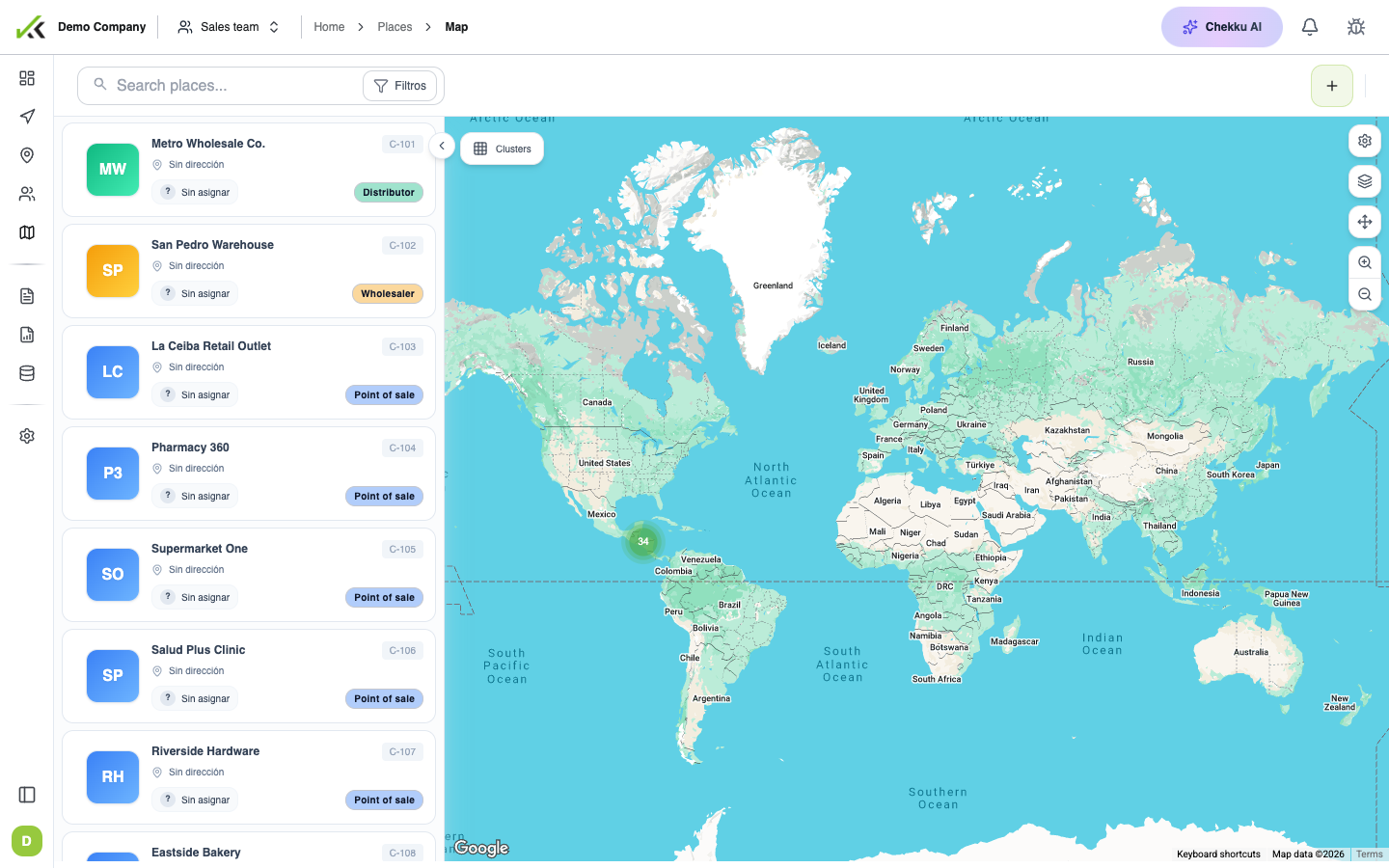
Open Places in the web app in two ways:
- Map view — See every location as a marker. Click a pin for details, related visits, and tasks. Best for geographic planning and spot checks.
- Table view — A sortable, filterable spreadsheet-style list. Best for scanning large catalogs, exporting, or bulk review.
Switch views with the toggle on the Places page. Both show the same data; pick the one that fits the job.
Place types
Administrators define place types (for example Pharmacy, Warehouse, or Key account) so filters and reports stay consistent. Assign a type when creating or editing a place, or during bulk import.
Supervisors use types to narrow lists—“show only pharmacies in this region”—without maintaining separate spreadsheets.
Why places matter for forms
Places are not just map dots. They give context during field work:
- A visit is usually tied to one place. That link drives which list options appear in mobile forms when admins configure place-based filters.
- Tasks scheduled for a place show on the field agenda for that site.
- Reports group activity by place, type, or assigned mobile user.
When list fields look wrong on mobile, verify the place on the visit first—then ask an admin to check the form’s data source and filter settings.
Bulk upload (admin)
For many locations at once, use bulk upload with a spreadsheet: download the template, one row per place, map columns (name, code, coordinates, type, assigned user), review, and submit. Invalid coordinates or missing names are the most common rejections.
Tips
- Keep place names unique and stable; changing codes breaks imports and integrations.
- Assign place types early so dashboards and filters work from week one.
- Link mobile users to places when your routing model depends on portfolios or territories.