Visitas día a día
El ciclo de la visita de inicio a cierre—y cómo los tipos de visita definen formularios y evidencia.
Video próximamente
Visitas día a día
id: academy-visits · ~2–4 min
Audiencia: Mixta (Campo · Supervisor · Admin)
Una visita (check-in) es el registro de que alguien estuvo en un lugar, con hora, formularios opcionales, fotos y ubicación. Las visitas se crean en campo (o se planean antes como tareas); la web es donde los supervisores las revisan.
El ciclo de la visita
Toda visita sigue el mismo ritmo:
- Crear o iniciar — Abre una tarea asignada desde la agenda, o inicia una visita nueva y elige el lugar y el tipo de visita (tipo de actividad).
- Llenar formularios — Completa los formularios vinculados a ese tipo. Las preguntas obligatorias deben responderse antes de finalizar.
- Agregar evidencia — Adjunta fotos, comentarios o firmas cuando el tipo de visita lo exija. La ubicación se captura con la propia visita.
- Completar — Marca la visita como hecha. El sync envía el registro a la web para revisión.
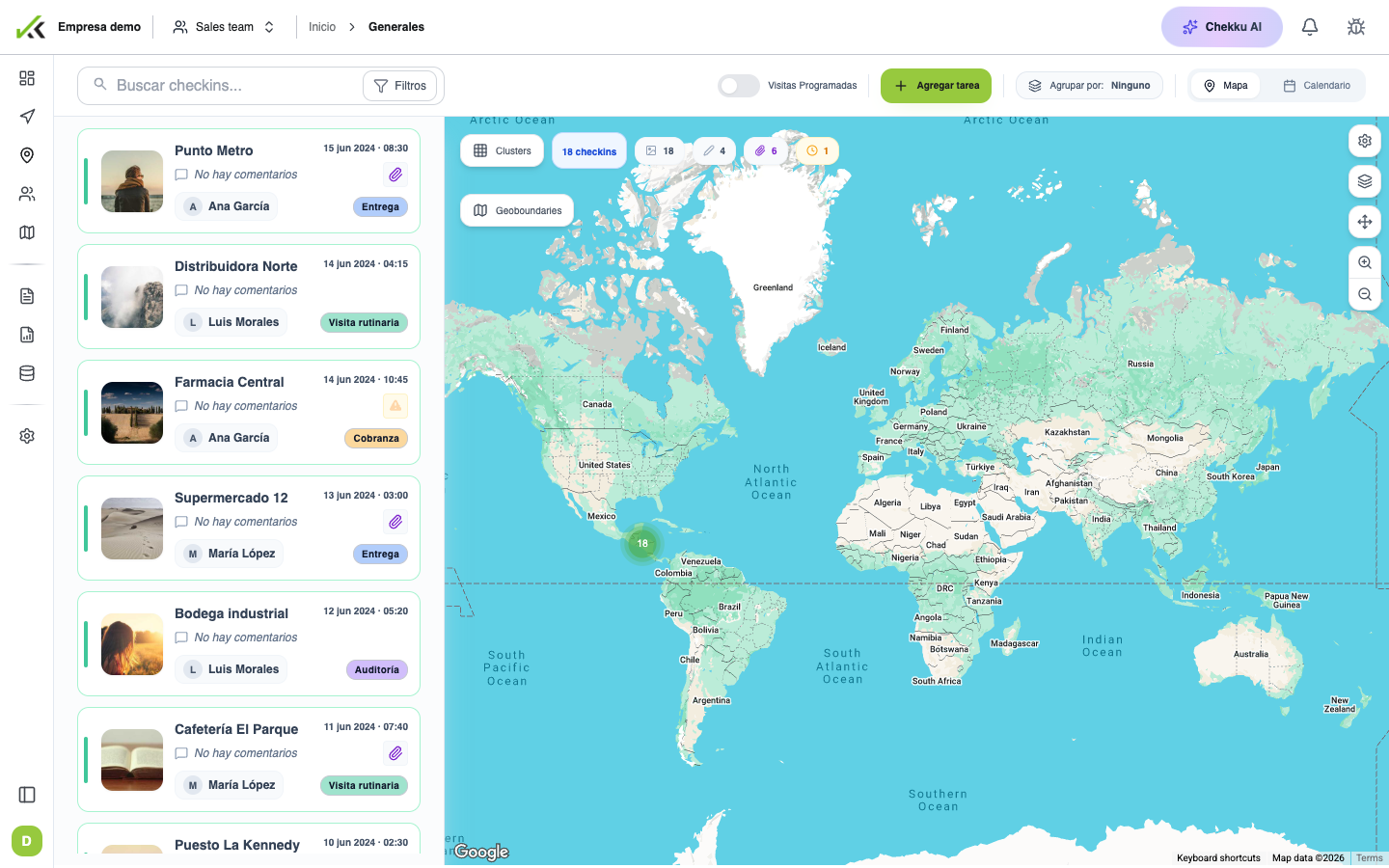
En la web, Visitas generales lista cada check-in para buscar, filtrar, abrir el mapa e inspeccionar el detalle en auditorías o seguimiento.
Los tipos de visita definen las reglas
Los administradores definen tipos de visita (categorías como visita comercial, mantenimiento o auditoría). El tipo que elijas controla:
- Qué formularios aparecen y si son obligatorios
- Si hay que seleccionar un lugar
- Qué evidencia (fotos, firma, comentarios) se espera
- Cómo se agrupan las visitas en reportes
Si se elige el tipo incorrecto, pueden faltar campos obligatorios o aparecer trabajo de más. El campo debe confirmar el tipo al inicio; los admins deben mantener la lista corta y con nombres claros.
Roles oficina vs campo
| Rol | Acciones típicas |
|---|---|
| Campo | Iniciar visitas, llenar formularios, capturar evidencia, completar y sincronizar |
| Supervisor | Revisar lista y mapa del día, detectar excepciones, acompañar al equipo |
| Admin | Configurar tipos de visita, rango de fechas de check-in y formularios vinculados |
Consejos
- Clasifica cada visita con el tipo de actividad correcto antes de llenar formularios.
- Revisa excepciones el mismo día, mientras el contexto está fresco.
- Usa el detalle de visita en la web para verificar ubicación y respuestas tras el primer día de campo.
- Las tareas planeadas para una fecha futura no son lo mismo que una visita completada—ver Tareas y seguimientos.