GPS with visits
Location is captured on the visit and through Tracking—not as a form field type.
Video coming soon
GPS with visits
id: academy-gps-and-visits · ~2–4 min
Audience: Mixed (Field · Supervisor)
Field teams often ask where to “turn on GPS” in a form. In Chekku, there is no GPS field type in Form Builder. Location belongs to the visit and, when your plan includes it, to Tracking—not to individual form questions.
Location on the visit
When you start or complete a visit on mobile, Chekku records position in the context of that check-in. Supervisors review it on the web with the visit detail and map pin.
That location:
- Proves the user was at or near the place (subject to device accuracy and company policy)
- Anchors the visit record for reports and audits
- Can supply context for form list filters (for example lists scoped to the visit’s place)
It is not something you add as a draggable field in Form Builder.
Tracking (supervisors)
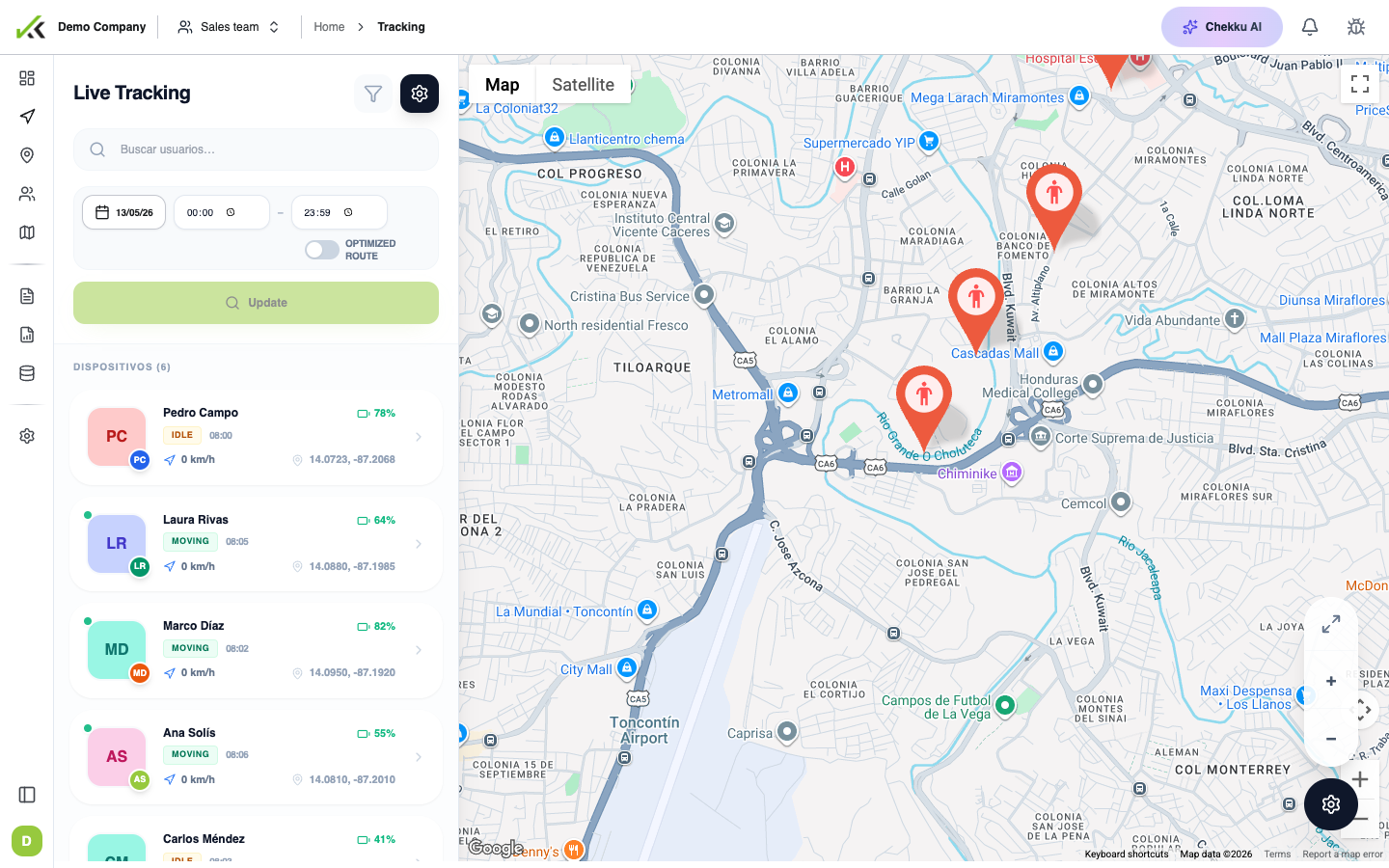
If your organization purchased Tracking, supervisors see routes and movement on a dedicated map during authorized schedules—not inside every form. Tracking adds:
- Live or historical route lines
- Schedule templates for when tracking applies
- Optional geo-boundaries for zone alerts
Field users do not configure Tracking on the phone; admins set permissions and schedules on the web. If the Tracking menu is missing, the feature may not be on your plan.
Forms and visit context
Forms can still use location indirectly:
- List fields may filter options by the place linked to the current visit
- Reports and visit detail show form answers next to the visit coordinates
Do not teach colleagues to hunt for a “GPS question” inside the form. If coordinates look wrong, check device location services, sync status, and whether the correct place was selected—not missing form fields.
Common mistakes
| Mistake | Reality |
|---|---|
| “Add a GPS field to the audit form” | Location is automatic on the visit; use photo evidence for proof on site |
| “Tracking replaces visits” | Tracking shows movement; visits prove work done with forms and evidence |
| “List is empty because GPS failed” | Lists filter by place, not by a GPS form answer—verify place selection |
Tips
- Enable location permission for the Chekku app on first install.
- For audits, combine visit coordinates with timestamped photos.
- Supervisors: use GPS tracking for route context, Visit control for check-in proof.