Visits day-to-day
The visit loop from start to complete—and how visit types set the rules for forms and evidence.
Video coming soon
Visits day-to-day
id: academy-visits · ~2–4 min
Audience: Mixed (Field · Supervisor · Admin)
A visit (check-in) is the record that someone was at a place, with time, optional forms, photos, and location. Visits are created in the field (or planned ahead as tasks); the web is where supervisors review them.
The visit loop
Every visit follows the same rhythm:
- Create or start — Open an assigned task from the agenda, or start a new visit and pick the place and visit type (activity type).
- Fill forms — Complete any forms linked to that visit type. Required questions must be answered before you can finish.
- Add evidence — Attach photos, comments, or signatures when the visit type requires them. Location is captured with the visit itself.
- Complete — Mark the visit done. Sync sends the record to the web for review.
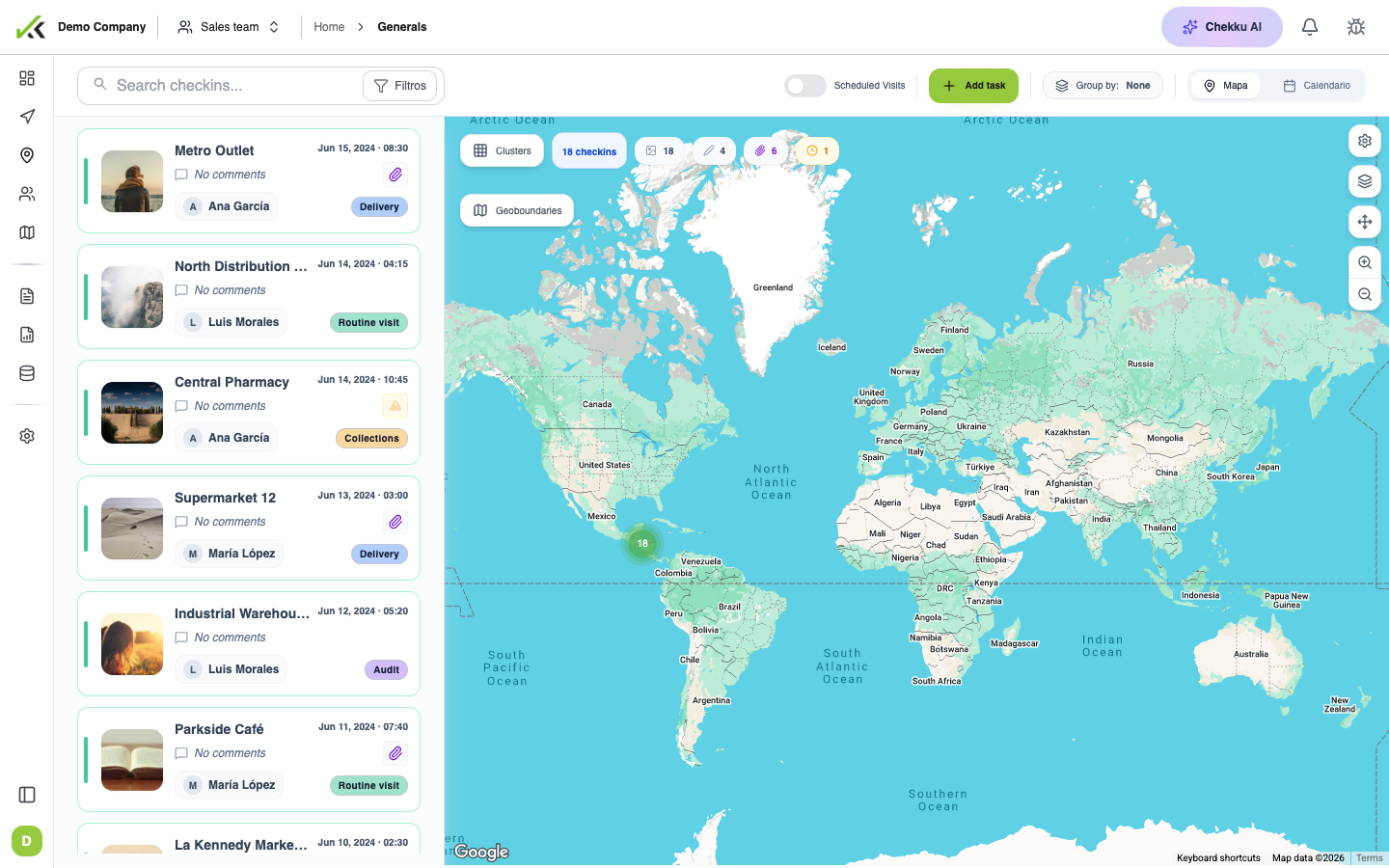
On the web, General visits lists every check-in so you can search, filter, open the map, and inspect detail for audits or follow-up.
Visit types set the rules
Administrators define visit types (categories such as sales visit, maintenance, or audit). The type you choose controls:
- Which forms appear and whether they are required
- Whether a place must be selected
- What evidence (photos, signature, comments) is expected
- How visits group in reports
If the wrong type is selected, required fields may be missing—or extra work may appear. Field users should confirm the type at the start; admins should keep the list short and clearly named.
Office vs field roles
| Role | Typical actions |
|---|---|
| Field | Start visits, fill forms, capture evidence, complete and sync |
| Supervisor | Review today’s list and map, spot exceptions, coach the team |
| Admin | Configure visit types, check-in date range, and linked forms |
Tips
- Classify every visit with the correct activity type before filling forms.
- Review exceptions the same day while context is fresh.
- Use visit detail on the web to verify location and form answers after the first field day.
- Tasks planned for a future date are not the same as a completed visit—see Tasks and follow-ups.